


Sound Systems for PC Gaming, Music & Home Cinema
Whether stereo or surround – with the right sound system, you can bring powerful audio, deep bass and immersive sound to your desk.
12 Results


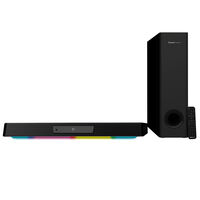

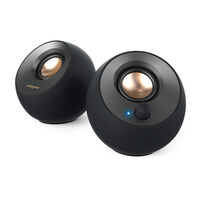
Sound Systems for Gaming, Music & Home Cinema
With a sound system, you can add clear audio and powerful bass to your PC setup or living room. Here you'll find 2.0, 2.1 and 5.1 sound systems with speakers and subwoofers.
The Differences Between Sound Systems
The designations 2.0, 2.1 and 5.1 describe the configuration of a sound system. The first number indicates the number of main channels or speakers. The number after the decimal point refers to the low-frequency channel, which is usually handled by a separate subwoofer. A 2.0 sound system, for example, consists of two speakers without a subwoofer.
Which Sound System Is Right for My Needs?
The right sound system depends mainly on the available space, your intended use and the connections offered by your devices.
- 2.0: Small desks, home offices and compact rooms
- 2.1: Gaming setups, bedrooms and smaller living rooms
- 5.1: Living rooms, gaming rooms and home cinema setups
Connections for Your Sound System
Depending on the model, sound systems can connect via 3.5 mm jack, USB, USB-C, RCA or optical audio. Some systems also support Bluetooth. Before buying, check which connections are available on your PC, TV or games console and whether multichannel audio is supported.
If a suitable connection is missing, compatible audio accessories or an external sound card may provide the required connection, depending on the device. Make sure to check whether the signal is analogue or digital, as a simple adapter cannot convert every type of connection.
FAQ – Sound Systems
What is the difference between 2.0 and 2.1?
A 2.0 system consists of two speakers. A 2.1 system adds a separate subwoofer for bass reproduction.
How many watts should a sound system have?
That depends on the size of the room and the desired volume. More wattage can provide a higher maximum volume, but it does not automatically mean better sound quality.
Which connections does a sound system need?
Depending on the model, the connection is made via 3.5 mm jack, USB, USB-C, RCA, optical audio or Bluetooth.
Do I need a separate sound card?
Not necessarily. A separate sound card can be useful if the required connections or specific audio features are missing.
Can I use a sound system with a TV or games console?
Yes, as long as the devices provide compatible audio connections or support a suitable wireless connection.
Where should I place the subwoofer?
The subwoofer should ideally be placed on a solid surface with some distance from walls and furniture.