


PowerLAN
Powerline adapters transmit network data via the existing electrical wiring, bringing internet access to rooms with poor Wi-Fi coverage.
3 Results
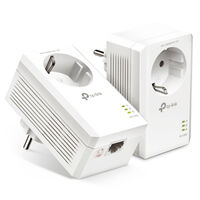

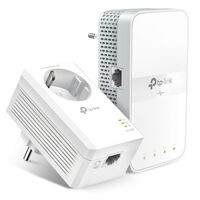
Powerline Adapters: Internet via Electrical Wiring
Powerline – also known as PowerLAN – uses the existing electrical wiring to transmit data. This type of connection is particularly useful in areas with poor Wi-Fi coverage or where installing a network cable is not practical. Discover our Powerline adapters with LAN ports and Wi-Fi connectivity.
What Should You Consider When Buying a PowerLAN Adapter?
Transfer Speed
The specified Powerline data rate helps you compare different models. The actual achievable speed may be lower depending on the electrical installation, cable length, and sources of electrical interference.
LAN Ports
Check how many devices you want to connect via network cable and whether the adapter supports Fast Ethernet or Gigabit Ethernet.
Wi-Fi
If you need not only LAN but also Wi-Fi in the target room, choose a Powerline adapter with Wi-Fi functionality.
Compatibility
Check the Powerline standard being used before expanding an existing system. Not all Powerline adapters and standards are compatible with each other.
How Do I Set Up PowerLAN?
For the setup, you need at least two Powerline adapters. Connect one to your router via a network cable and plug it into a power socket. Place the second adapter in the room where you want to use the network connection – also plugged into a power socket. Additional adapters can be added in the same way.
Depending on the model, the adapters connect automatically or are paired using a pairing button. PowerLAN adapters with Wi-Fi may also need to be configured via an app or user interface. Ideally, avoid using a power strip and connect the adapter directly to a wall socket.
Powerline, Wi-Fi Repeater, or Mesh?
A Wi-Fi repeater is particularly suitable when a sufficiently strong Wi-Fi signal is still available at the desired location. Powerline bridges greater distances via the electrical wiring and can therefore be useful when walls or floors significantly weaken the Wi-Fi signal. A mesh system is especially suitable if you want to provide several areas with a more consistent Wi-Fi network. Which solution is best depends on the building, electrical installation, and desired coverage.
FAQ – Powerline Adapters & PowerLAN
What Is PowerLAN?
PowerLAN, also known as Powerline, transmits network data via the existing electrical wiring. Powerline adapters are plugged into power sockets and connected to the router or the desired end devices.
Who Is Powerline Suitable For?
Powerline is particularly suitable when Wi-Fi has poor coverage in certain rooms and you do not want to install an additional network cable. Depending on the adapter, you can connect devices via LAN or also provide Wi-Fi in the target room.
Do I Need at Least Two Adapters for Powerline?
At least two adapters are usually required to set up a new Powerline network. One adapter is connected to the router, while the second provides the network connection from another power socket. Starter kits therefore usually include multiple adapters.
What Is the Difference Between a Powerline Starter Kit and a Single Adapter?
A Powerline starter kit contains the adapters you need to set up a new Powerline network. A single adapter is mainly suitable for expanding an existing compatible Powerline network to another room or adding another network connection.
What Is the Difference Between Powerline with LAN and Powerline with Wi-Fi?
Powerline adapters with LAN provide the network connection via one or more Ethernet ports. Models with Wi-Fi can additionally provide a wireless network in the target room and are therefore also suitable for smartphones, tablets, or laptops.
Are All Powerline Adapters Compatible with Each Other?
No. Whether Powerline adapters work together depends, among other things, on the Powerline standard and product series being used. Systems based on different technologies such as HomePlug AV or AV2 and G.hn are not necessarily compatible with each other. Before buying, check whether the new adapter is compatible with your existing Powerline network.
Why Is Powerline Slower in Practice Than the Advertised Speed?
The specified Powerline data rate is a theoretical maximum. The actual achievable speed depends on factors such as the electrical installation, cable length, electrical interference, and the LAN connections and end devices being used.
Should a Powerline Adapter Be Plugged Directly into a Wall Socket?
Powerline adapters should ideally be connected directly to a wall socket. Power strips or certain electrical devices can interfere with data transmission. If you still want to use the socket, a Powerline adapter with an integrated pass-through socket can be useful.
Is Powerline Secure?
Modern Powerline systems generally support encrypted data transmission and secure pairing between adapters. The available security features depend on the manufacturer and model. Follow the manufacturer’s setup instructions.